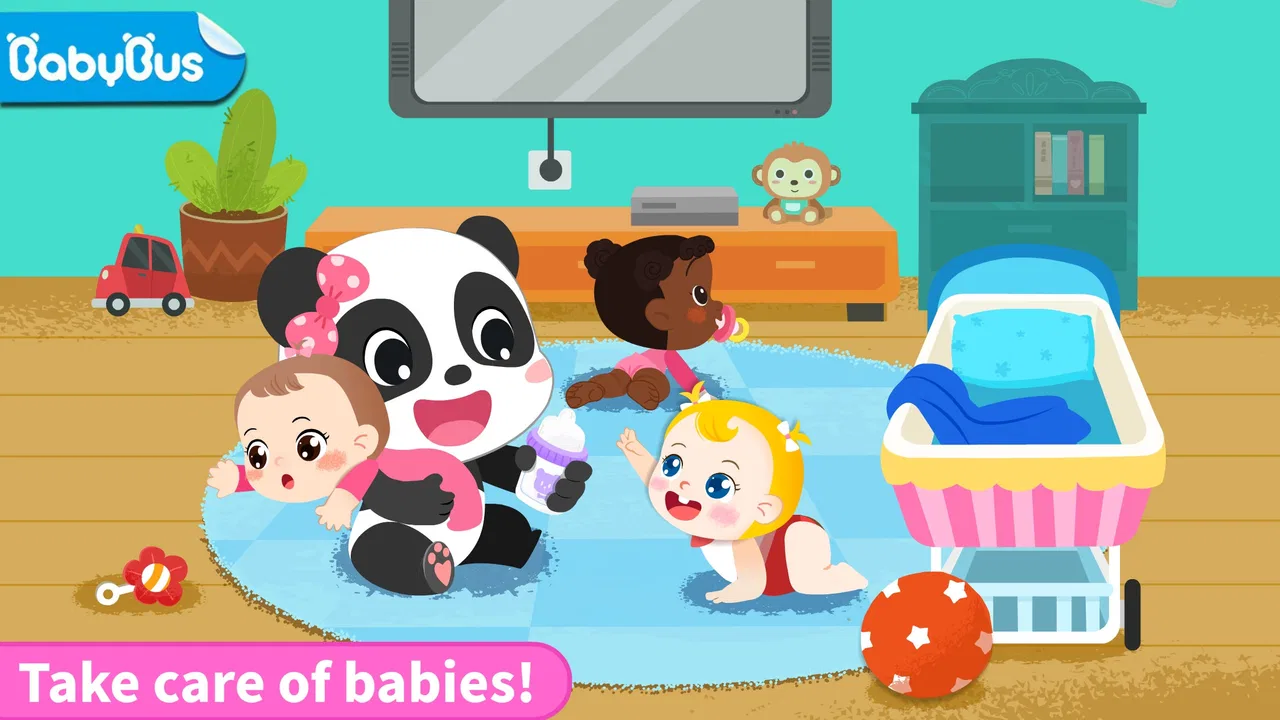
Panda Games: Baby Girls Care
- 4.2
- Rating
- 10.00M
- Installs
- Free
- Price

 Analysis by App-foxy
Looking after a baby in a game sounds simple, but the appeal of Panda Games: Baby Girls Care comes from turning familiar routines into small, friendly tasks. I found it easiest to understand when I stopped treating it like a traditional game with a score to chase and instead approached it as a gentle pretend-play experience. You take the role of a nanny, respond to the baby’s needs, and move through care activities at a relaxed pace.
That makes this a particularly approachable educational game for young children. It is free to start, carries an Everyone age rating, and comes from BabyBus, a developer well known for child-focused games. The store summary describes the central idea clearly: caring for baby girls. In practice, the value is less about mastering difficult controls and more about helping a child connect actions with everyday care, patience, and attention.
I would recommend it most to parents looking for a calm activity that a child can explore beside them. It is not the right choice if you want a deep simulation, a competitive challenge, or a game built around complex progression. Its strength is the immediate, understandable role-play. A child can see a need, try an action, and feel that the situation has improved without having to read long instructions.
You May Also Like

 Blood Strike: 2.5 Anniversary
Blood Strike’s Loadouts Turn Every Drop Into a Tactical Gamble
A close look at Blood Strike’s custom loadouts: how fast access to signature weapons reshapes its battle royale rhythm, rewards preparation, and narrows the gap between fights.

 Pandora - Music & Podcasts
Pandora’s Music Is Easy to Start, but Harder to Recover
Pandora’s strength is its low-effort path from a seed to a station. Its weak spot is how much confidence it asks you to place in connection, setup, and quiet recovery.

 8 Ball Pool
 Is Built on Rivalries, Rematches, and Routine
A close look at the rivalries, rematches, shared routines, and unanswered safety questions that turn a quick pool match into a persistent mobile community.

 Samsung Music
’s Quiet Strength Is Playing What You Already Own
Its reach comes less from spectacle than from dependable access to a personal library. That simplicity is both the app’s strongest retention engine and its ceiling.

 AccuWeather: Weather Radar
AccuWeather Review: A Quick, Clear Forecast for Everyday Decisions
For everyday plans, the best forecast is the one you can understand quickly. AccuWeather makes rain timing, radar, and local conditions easy to act on, with a few trade-offs.

 Hill Climb Racing
Why Hill Climb Racing Still Turns Crashes Into One More Run
A tiny car, a bumpy hill and one more upgrade: Hill Climb Racing keeps resurfacing because its simple chaos makes every near-miss feel personal.
More From Our News Desk



What the first session feels like
When I first opened the game, I expected the usual pattern of bright characters, simple prompts, and tap-based interaction. That expectation is useful because it tells you how to guide a first-time player: do not begin by explaining every possible option. Sit with the child, let the opening activity appear, and ask what they think the baby needs. The conversation becomes part of the experience rather than turning the game into a lesson.
The presentation is clearly aimed at children rather than adults. BabyBus keeps the tone soft and playful, which helps reduce the pressure to perform. A child who taps the wrong area is unlikely to feel as if they have failed at something serious. That matters for younger players who are still learning how touch screens respond to taps, swipes, and repeated attempts.
The game’s educational value is informal. It does not replace real-world care or teach the full responsibility of looking after a baby. Instead, it gives children a safe pretend setting in which routines become visible. They can practice noticing, choosing, and completing an action. I see that as a better fit for short shared play than for unsupervised use as a substitute for interaction with an adult.
One practical point is that the game is not designed around adult efficiency. A parent may understand the intended action immediately, while a child may want to explore the screen first. I would allow that exploration for a moment. Correcting every tap can make the activity feel like homework, while a little trial and error helps the child build confidence with the interface.
Who will enjoy the role-play
This is a good match for children who enjoy dolls, pretend kitchens, toy nurseries, or stories about helping others. The nanny role gives those interests a digital form without requiring a complicated story to follow. It can also work well as a short transition activity when a child needs something quieter than an action game.
Older children who already expect missions, unlockable systems, or a strong sense of achievement may find it too light. I would also skip it for a child who becomes frustrated when a game does not offer a clear challenge or visible competition. The appeal is repetition with variation in care tasks, not a demanding test of reflexes.
For a first-time user, I would set aside a few minutes when you can stay nearby. The child may understand the basic idea quickly, but the useful part is seeing how they interpret the baby’s needs. That gives you a natural opportunity to talk about being gentle, waiting, and checking whether an action helped.
Getting started without making setup difficult
The game is free to download, so the initial decision is straightforward. It supports devices running Android 6.0 or later, which covers many older Android phones and tablets. The current version is 8.72.00.02. I would still check the device before handing it to a child, especially if the device is shared, because a comfortable screen and responsive touch controls make a noticeable difference in this type of game.
There are in-app purchases ranging from $0.99 to $3.99 per item. That does not prevent a child from trying the free experience, but it does make supervision sensible. Before a child plays alone, I would review the purchase settings on the device and agree on a simple rule: anything that asks for money waits for an adult. This is a small preparation step, but it avoids turning a calm care game into an unexpected account problem.
I also recommend starting with the sound at a moderate level. Audio can help a young player understand that an interaction has been recognized, but a loud or busy environment makes it harder to tell whether the child is following the activity or simply tapping. A quieter first session lets you observe the controls and decide whether the game suits the child’s attention span.
Do not feel that you need to create a formal profile or explain the entire product before play begins. The most reassuring path is simple: open the game, identify the baby, and let the first care situation guide the child. If the child is unsure, demonstrate one tap, then hand the device back. That keeps the adult in a supporting role rather than taking over.
The first meaningful success
The first success is not finishing a long sequence. It is recognizing a need and completing the matching care action. I would make that the goal of the opening session. Ask the child, “What do you think we should do now?” Give them time to look, and only offer a hint if they are stuck. Once the baby’s situation changes, point out the connection: they noticed something, chose an action, and helped.
This approach works better than rushing through the activity for them. Young children often learn the interface by watching the result of one action. If an adult performs several steps in a row, the child may enjoy the animation but remain unsure how to repeat it. One completed action under the child’s control is more valuable than a whole sequence completed by a parent.
I also found that it helps to describe the action in ordinary language rather than using game terminology. Say “let’s help the baby” instead of “complete the objective.” That preserves the pretend-play feeling and makes the game easier to connect with real-life ideas such as comfort, cleanliness, feeding routines, or calming someone who needs attention.
For a child using a touchscreen independently, the most useful coaching is usually about precision. If a tap does not work, encourage a slower tap in the middle of the visible object rather than repeated frantic tapping. If the child swipes when a tap is needed, show the difference once. These tiny adjustments can prevent the impression that the game is broken.
A realistic everyday way to use it
Imagine a child waiting while dinner is being prepared. They want a game, but an intense action title would make it harder to settle down. This is where the nanny theme can fit: the child can play one care activity while an adult remains nearby, then put the device down when the meal is ready. The game is well suited to that short, contained window because its appeal does not depend on maintaining a competitive streak.
Another useful setting is shared play between a parent and a child who is interested in becoming more independent. Let the child hold the device and make the decisions, while the adult asks gentle questions. That turns the screen into a prompt for conversation. The child is not merely trying to reach the next animation; they are explaining why they chose an action and noticing the result.
I would avoid presenting it as a reward for every routine or using it to distract a child from all uncomfortable feelings. It works best as one activity among others. Real dolls, picture books, and helping with safe household tasks offer kinds of learning that a screen cannot provide. The game can reinforce pretend care, but it should not carry the whole responsibility for teaching empathy or responsibility.
Where first-time players may hesitate
The biggest source of confusion is likely to be the difference between looking at the screen and understanding what the game expects next. A young child may see several colorful objects and tap all of them. That is normal. Instead of saying “you are doing it wrong,” ask them to look at the baby first. The character’s situation is the most useful clue for deciding what to try.
Another point of friction is that pretend-play games can feel open-ended to a child, while the software still expects certain interactions. If the child wants to explore an object that does not advance the activity, let them try briefly, then redirect attention to the visible care need. This balances curiosity with progress and prevents the session from becoming a fight over the correct tap.
Some children may also assume that the game behaves exactly like a real nursery. It is worth explaining that the baby is a game character and that the actions are simplified. That distinction is important: the game can encourage caring language and thoughtful choices, but it cannot model every detail of real infant care. I would treat its situations as conversation starters rather than instructions to copy literally.
The purchase prompts deserve their own reminder. A child may regard an item or option as part of the normal play path, even when it involves payment. I would teach a clear response: stop and ask an adult. That rule is more useful than simply saying no, because it gives the child a practical habit for other apps and games as well.
There is also a possible mismatch between the game’s simplicity and a family’s expectations. The average rating is 4.1 from around 33 thousand ratings, and the game has passed 10 million installs, so it has clearly reached a large audience. Those figures suggest broad appeal, but they do not mean every child will enjoy the same pace. A parent should judge it by the child’s reaction: curiosity and calm engagement are good signs, while repeated frustration or boredom suggests moving on.
How it compares with other children’s games
Compared with puzzle games, this experience places less emphasis on solving an abstract problem. The child is responding to a character and a situation, which can feel more personal and easier to understand for someone drawn to pretend play. Compared with open-ended doll apps, it may provide clearer direction, but that structure can also limit a child who wants to invent their own stories without prompts.
It is also gentler than many action-oriented children’s games because the central fantasy is care rather than competition. That does not automatically make it better for every family. If your child is working on numbers, letters, spelling, or logic, a dedicated learning app will usually offer more focused practice. Here, the learning comes through routine, sequencing, observation, and social imagination.
The trade-off is therefore quite clear. Choose this game when you want a child-friendly caregiving scenario that can be understood quickly. Choose a puzzle or academic app when you need measurable practice in a specific school skill. Choose a physical pretend-play activity when you want the child to create a story without screen limits. I like the game most when it is used for the first purpose and not asked to become all three.
Making the next sessions more useful
Once the child has completed the first successful action, I would change the goal from “finish everything” to “notice what changed.” Ask what the baby needed before the action and what seems different afterward. This encourages observation rather than fast tapping, and it gives the child language for describing care. It is a small adjustment, but it makes the activity feel more thoughtful.
A second helpful habit is to let the child predict the next step before touching the screen. Even if the prediction is wrong, the child is practicing a simple sequence: observe, choose, act, and check. That pattern is one of the strongest reasons to use the game with an adult nearby. The parent can turn a quick digital interaction into a short exercise in reasoning without making the child feel tested.
You can also use the game to discuss boundaries. Caring for someone does not mean grabbing, rushing, or trying every action at once. Encourage slow movements and gentle choices in the game, then connect that idea to handling toys or interacting with a younger sibling. The connection should stay light and age-appropriate; the point is to reinforce considerate behavior, not to claim that a game teaches real childcare.
If the child starts asking for purchases, pause the session and explain the difference between playing and buying. Since individual in-app items cost between $0.99 and $3.99, an adult can decide in advance whether any purchase is appropriate. I would not make buying part of the child’s definition of success. The meaningful achievement is completing a care situation, not gaining an extra item.
For families sharing one device, a short turn-taking routine works well. One person can identify the baby’s need, another can choose the action, and then they can switch. This prevents one confident player from controlling every interaction and makes the game more social. It also reveals whether the child understands the activity or is simply copying someone else’s taps.
When I would choose something else
I would look elsewhere if the child needs a game with substantial reading practice, detailed explanations, or a challenging progression system. The nanny fantasy is the focus, and its simplicity is both its advantage and its limitation. It can introduce a caring scenario, but it is not a full curriculum and should not be judged as one.
I would also choose a non-screen alternative when the child is already overstimulated or when the aim is hands-on imaginative play. A real doll lets a child decide the story, use physical objects, and involve another person without the boundaries of a fixed digital activity. The best use of this game is as a guided starting point for pretend care, not a replacement for it.
Families who prefer completely purchase-free environments should review the device controls before installing it. The game itself is free, but optional items are part of the experience. That does not make it unsuitable, yet it does mean the adult should establish expectations before the child explores independently.
My recommendation for a first download
After trying to view it from a first-time player’s perspective, I think Panda Games: Baby Girls Care succeeds when its modest scope is understood. It offers a friendly nanny role, simple care-focused play, and an accessible entry point for children who enjoy looking after dolls or characters. BabyBus has kept the concept easy to approach, which is exactly what a young player needs during the first session.
My recommended path is uncomplicated: install it on a compatible Android device, check the purchase settings, sit with the child for the opening activity, and let them complete one action themselves. After that, ask what they noticed rather than pushing them to move faster. This creates a reassuring first success and gives the game more value than simply handing over the device.
The game is free, rated for Everyone, and has attracted more than 10 million installs, with a 4.1 average from roughly 33 thousand ratings. Those signs make it an easy candidate to try, but the final decision should depend on the child’s interests and your expectations. If you want calm caregiving role-play, it is worth exploring. If you want academic drills, deep simulation, or a completely open-ended toy box, another option will serve you better.
For me, the most convincing part is the way a parent can turn a tiny care task into a conversation about noticing and helping. That is a small outcome, but it is a genuine one. Used with sensible supervision and realistic expectations, this educational game makes a pleasant first step into digital pretend play.
FAQs for Panda Games: Baby Girls Care
01What age group is Panda Games: Baby Girls Care suitable for?
Panda Games: Baby Girls Care is designed for young children, typically ages 3 to 8. The app features engaging and interactive gameplay that focuses on caring for baby girls, making it perfect for preschoolers who enjoy role-playing and learning through play. Parents can feel confident that the content is age-appropriate and safe.
02Does Panda Games: Baby Girls Care contain in-app purchases?
Yes, Panda Games: Baby Girls Care offers in-app purchases. While the basic version of the game is free to download, certain features, items, and levels may require payment. Parents should be aware of this and might want to use parental controls to manage or restrict purchases within the app.
03Is there an offline mode available in Panda Games: Baby Girls Care?
Panda Games: Baby Girls Care requires an internet connection for initial download and any updates. However, once installed, many features of the game can be played offline. This makes it convenient for children to enjoy the game during travel or in areas with unstable internet connections.
04How does Panda Games: Baby Girls Care promote learning and development?
The game promotes learning by encouraging children to engage in nurturing and caregiving activities. It helps develop empathy, responsibility, and fine motor skills through interactive tasks like feeding, dressing, and playing with baby characters. The colorful graphics and engaging gameplay keep children entertained while subtly teaching valuable life skills.
05Is Panda Games: Baby Girls Care safe for my child to use?
Yes, Panda Games: Baby Girls Care is designed with child safety in mind. The content is suitable for young audiences, and there are no inappropriate ads or content. Parents should still review the app’s privacy settings and monitor usage to ensure a safe and enjoyable experience for their child.
Pros
- Engaging mini-games for kids.
- Adorable graphics appeal to children.
- Simple interface for easy navigation.
- Educational content promotes learning.
- Parental controls ensure safe play.
Cons
- Limited content in free version.
- In-app purchases can become costly.
- Requires internet for some features.
- Ads may interrupt gameplay.
- No multiplayer options available.

Panda Games: Baby Girls Care
Gallery